How To Use Clang 10 0 0 And Use It With Clion
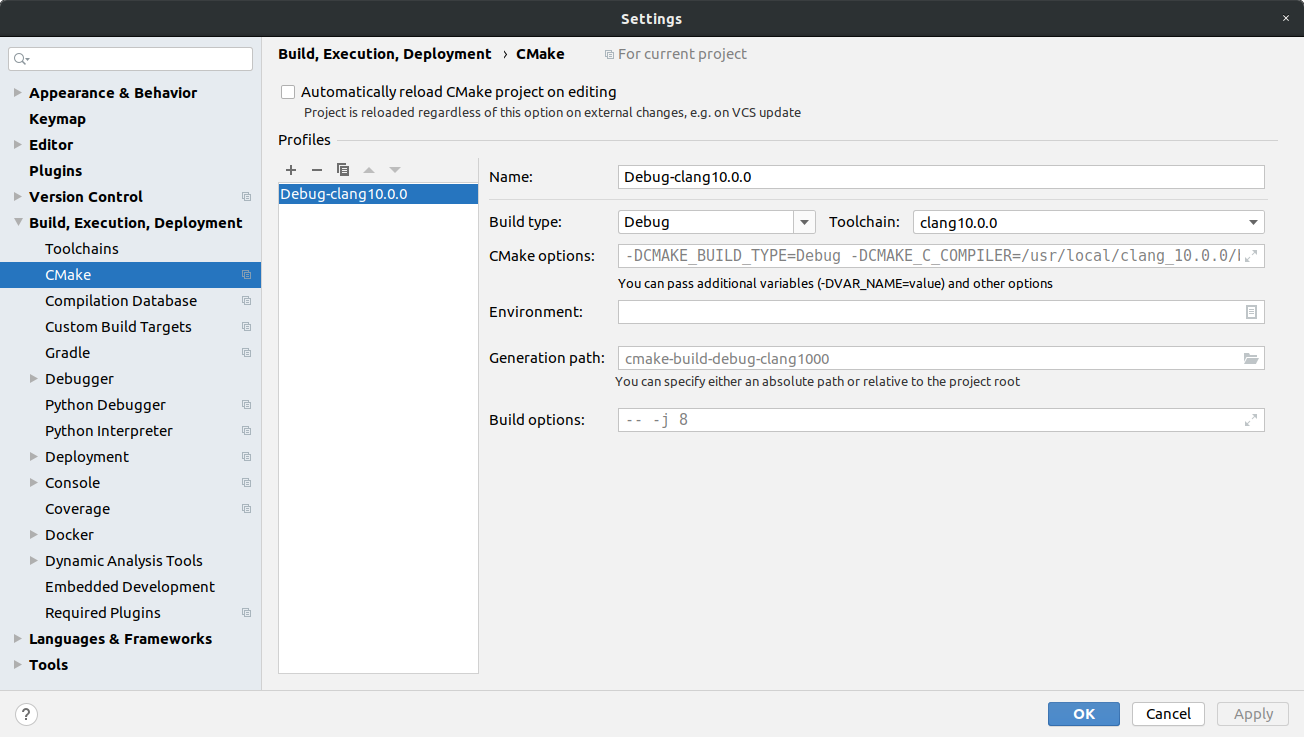
We enjoy coding using Ubuntu and advanced editors like CLion. The good thing apart from learning by practice (practice, practice) is to follow also the current developments. What better using the most recent LLVM clang 10.0.0 compiler? Yes, it’s very easy to do it. First you need to download it from the LLVV website official page. In our case, we want Ubuntu 18.04 version. Great after that, you should have the following tar in your downloads: clang+llvm-10.0.0-x86_64-linux-gnu-ubuntu-18.04.tar.xzWe extract it, rename the folder in something more convenient and move it to/usr/local folder, how? mv clang+llvm-10.0.0-x86_64-linux-gnu-ubuntu-18.04 clang_10.0.0sudo mv clang_10.0.0 /usr/localThen everything is easy. Add a new toolchain like the following screenshot: 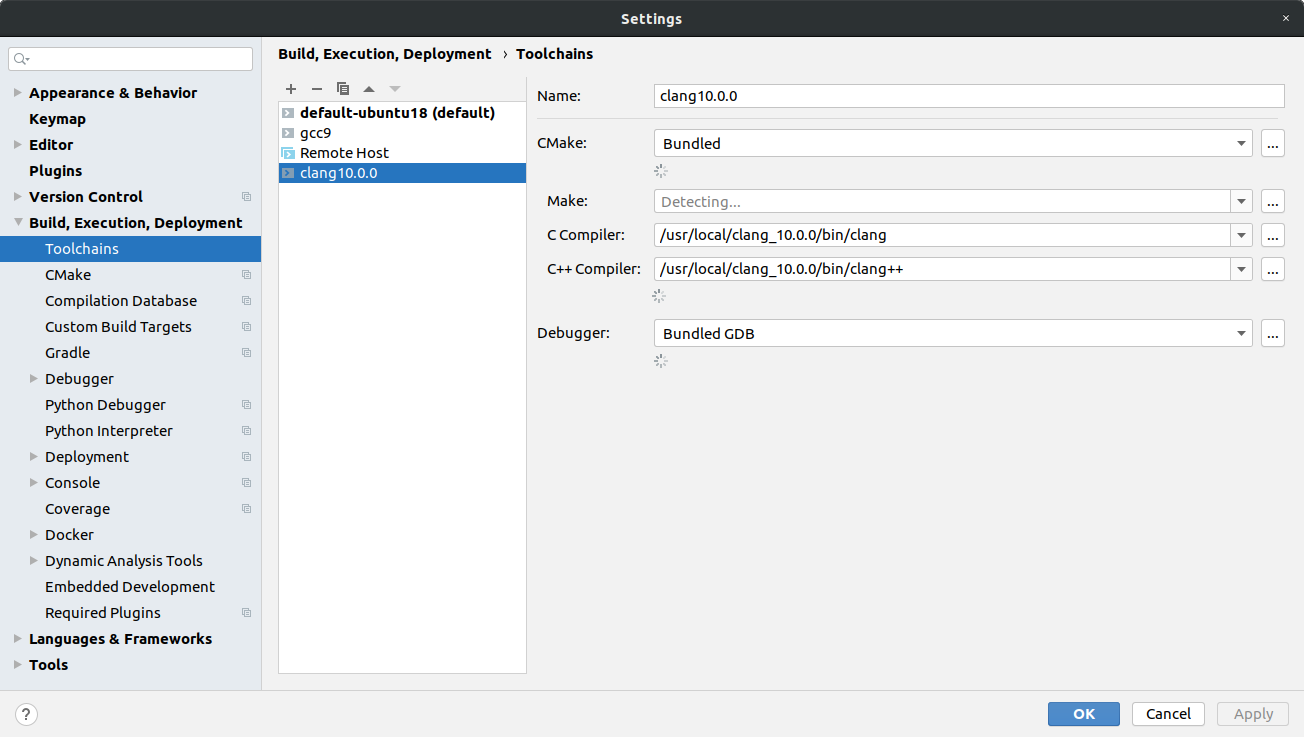 and then select it on your CMake settings
 Enjoy! References: 1. Install Clang 9 on Ubuntu